


Service
Design systems
We bring components, rules and documentation into one system so your products stay consistent as they grow.
A design system defines every part of a digital product with shared rules, from colours and buttons to spacing and tone of voice. Design and engineering speak the same language, and new screens are not drawn from scratch every time.
At Userex we build design systems from scratch, consolidate an existing one, or bring the scattered interface of a growing product into a single system.
We use AI actively throughout our process, which helps us inventory components faster, catch inconsistencies early and build a more robust system.

What we do in a design system project
Interface inventory
We list every component and inconsistency across your current products.
Foundations and tokens
We define colour, type, spacing, radius and elevation as design tokens.
Component library
Reusable components, from buttons to tables, documented with all their states.
Documentation
Guidelines on which component to use, when and how.
Mapped to code
Components in design match their counterparts in code one-to-one.
Accessibility
Contrast, focus states and readability rules built into the system.
How we work
- 01
Inventory and analysis
We review your interfaces and define the system's scope.
- 02
Foundations
We set up tokens and the core rules.
- 03
Components
We design components, document their states and map them to code.
- 04
Rollout
We apply the system to your products and support your team in owning it.
Why Userex
Design and code together
We build the system with engineering, not only in a design file.
One system for several products
We designed Tepe Home's website and mobile app on the same design system.
AI in every step
We use AI actively throughout our process, so more options get explored and decisions get tested earlier.
A reply within one business day
We read your request and write back within one business day at the latest.
Projects with a design system
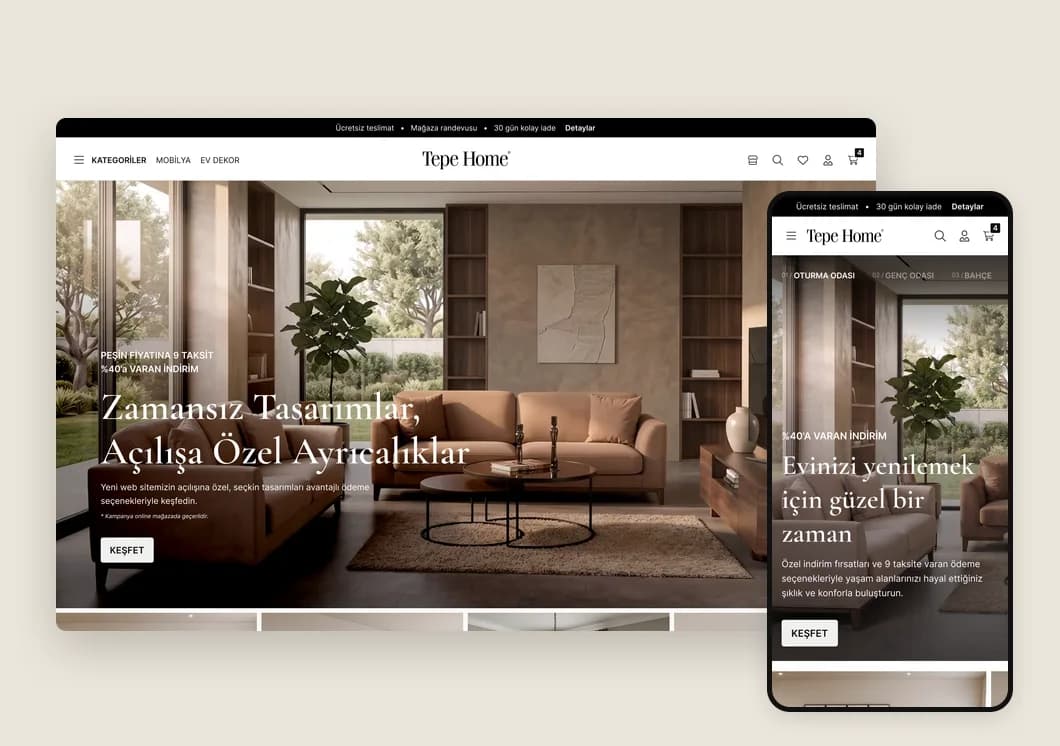
Tepe Home · Web
Tepe Home Website
A new website for a premium furniture brand that inspires and makes buying easier.
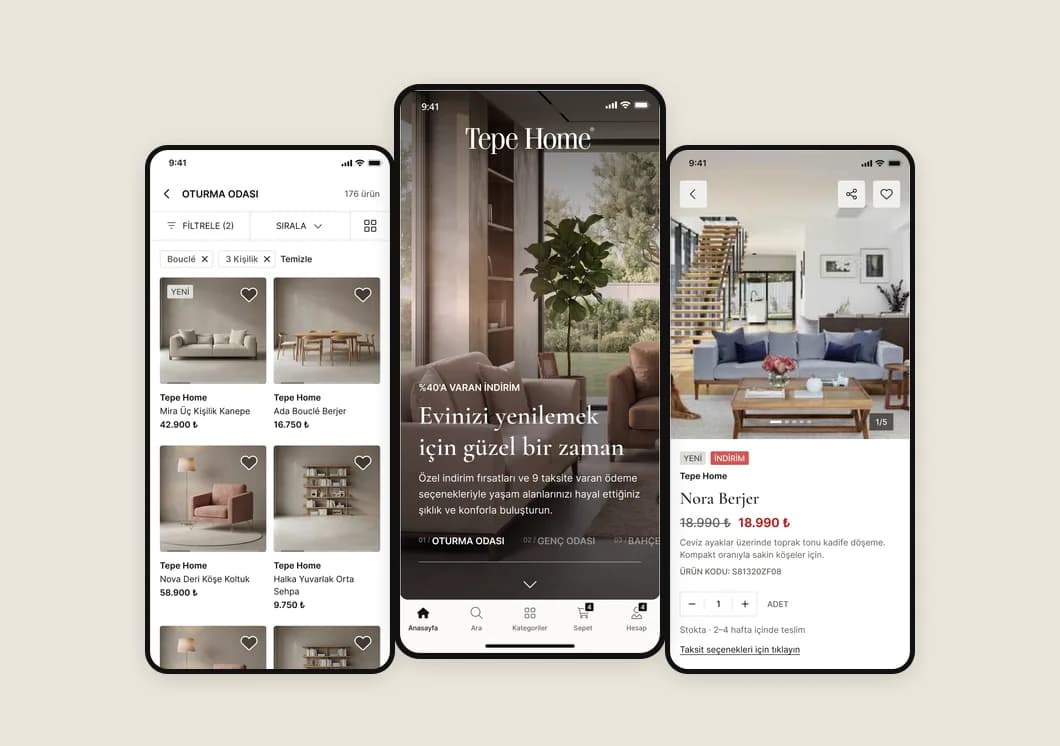
Tepe Home · Mobile
Tepe Home Mobile App
A complete shopping app for a premium furniture brand, from first launch to payment.
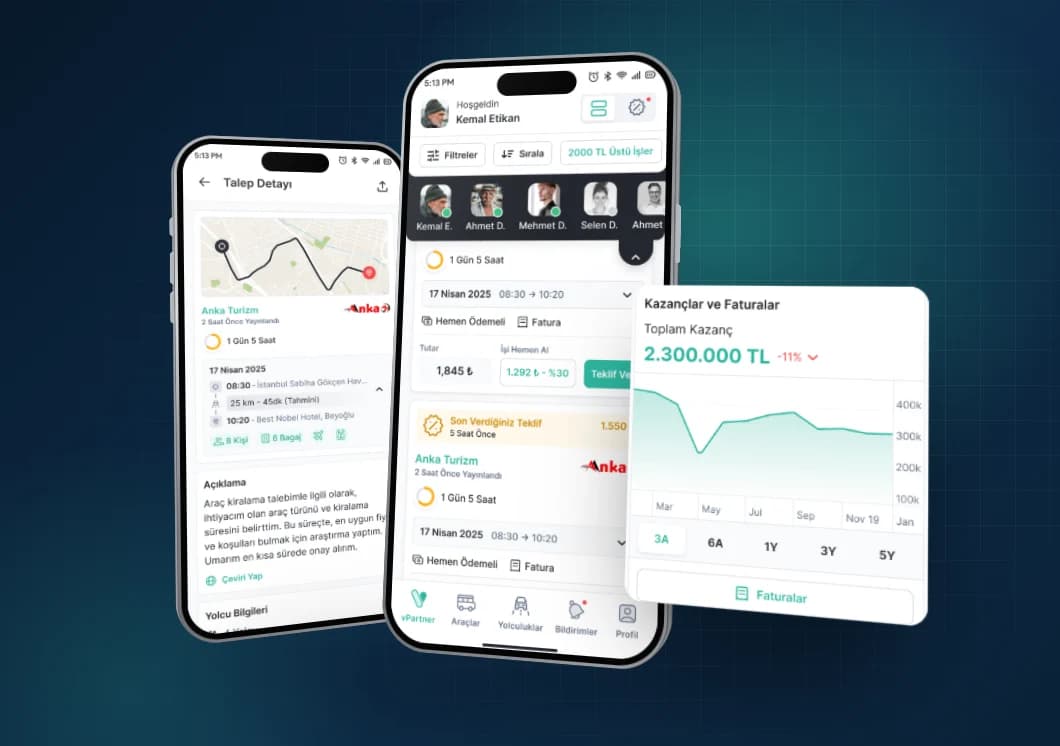
Vita Partner · Mobile
Vita Partner
A mobile app where transport suppliers manage their vehicles, drivers, trips and earnings.
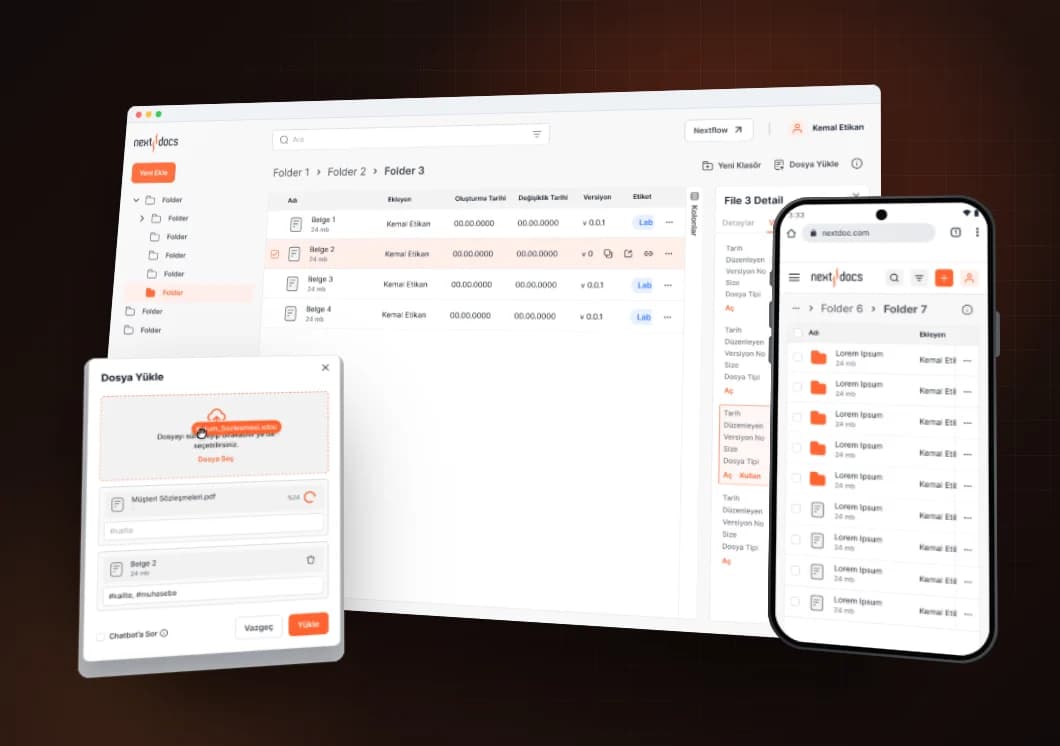
Eczacıbaşı Bilişim · Web
Next Docs
A document management system and UI kit for Eczacıbaşı Bilişim.
FAQ
What is the difference between a design system and a UI kit?
A UI kit is a collection of components. A design system adds the rules, tokens and documentation on when and how to use them, and covers both design and code.
When do we need a design system?
When you have several products or teams, when the same screen looks different in different places, or when every new feature slows design down.
Can a design system be added to an existing product?
Yes. We inventory the current interfaces and build the system step by step, starting with the most used components.
How will our engineers use the system?
We map components and tokens to code and make the documentation usable for your team. We can also set up the code side ourselves.
Our own team builds the product with AI tools. Do we still need a design system?
Standardising the existing code and giving your AI tools design rules is often enough to start. We do that alongside your team, and you can move on to a full design system as the product grows.
UI/UX ConsultingHow are timeline and budget set?
In the first meeting we talk through your goals and where things stand. Then we agree on scope, deliverables, timeline and budget together.